1. Install
Pick your platform below, or see the install page for all options.
$
brew tap ukroporg/tap https://github.com/ukroporg/homebrew-tap && brew install ukroporg/tap/ukrop
$
curl -L https://github.com/ukroporg/ukrop/releases/latest/download/ukrop.deb -o ukrop.deb && sudo dpkg -i ukrop.deb
$
cargo install --git https://github.com/ukroporg/ukrop
2. Run the setup wizard
ukrop setupThis does three things, asking before each:
- Imports your shell history (bash / zsh / fish / PowerShell) and SSH hosts from
~/.ssh/config - Adds shell integration to your rc file (
eval "$(ukrop init zsh)"or the equivalent) - Enables the
ushortcut via a shell alias
To rerun it later: ukrop setup --force.
3. Restart your shell
Open a new terminal tab or exec $SHELL so the hook starts tracking your directories and commands.
4. Use it
u               # jump to a directory (cd panel active)
u run           # re-run a command  (run panel active)
u ssh           # connect to a host (ssh panel active)
u search docker # open with "docker" pre-filled in the search bar
u cd projects   # open cd panel with "projects" pre-filled
Press Ctrl+R in your shell to open the TUI with the run panel focused. This replaces the default reverse history search.
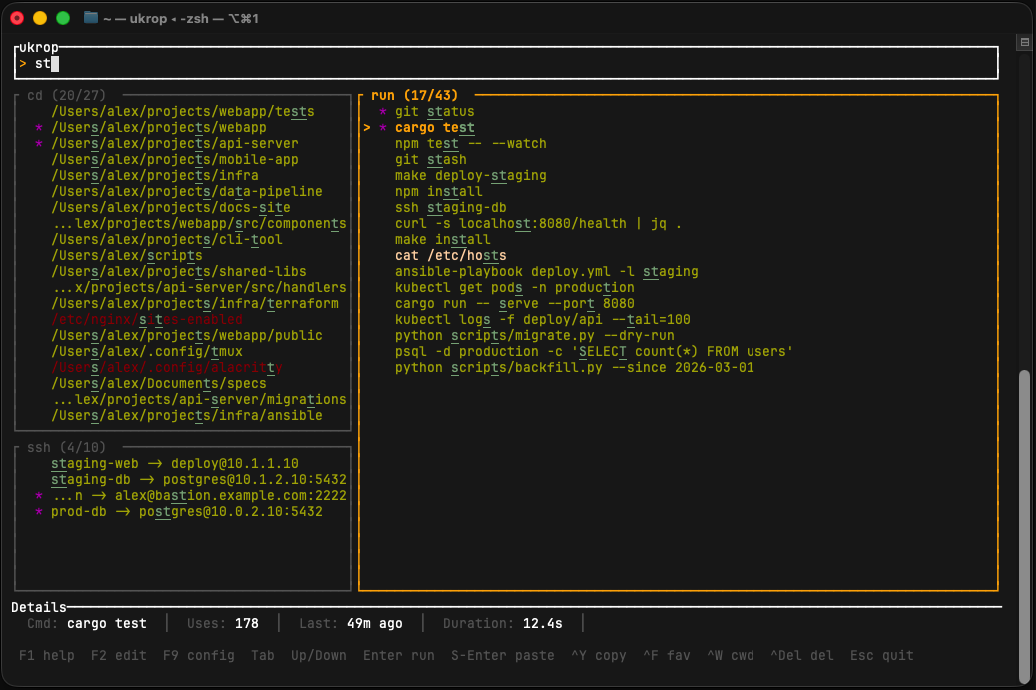
5. TUI keys you'll actually use
| Key | Action |
|---|---|
| Type | Filter all three panels at once |
| Tab | Cycle active panel (cd → run → ssh) |
| Enter | Select and run immediately |
| Shift+Enter / F5 | Paste to the terminal for editing |
| Ctrl+Y | Copy to clipboard |
| Ctrl+F | Toggle favorite (pins to top) |
| Ctrl+W | Delete word (also toggles CWD filter in run panel) |
| F8 / Ctrl+Del | Delete entry (with confirmation) |
| F1 | Show the help overlay with everything |
| F2 | Edit selected command before executing |
| F9 | Open the in-TUI config editor (live preview) |
| Esc | Cancel / quit |
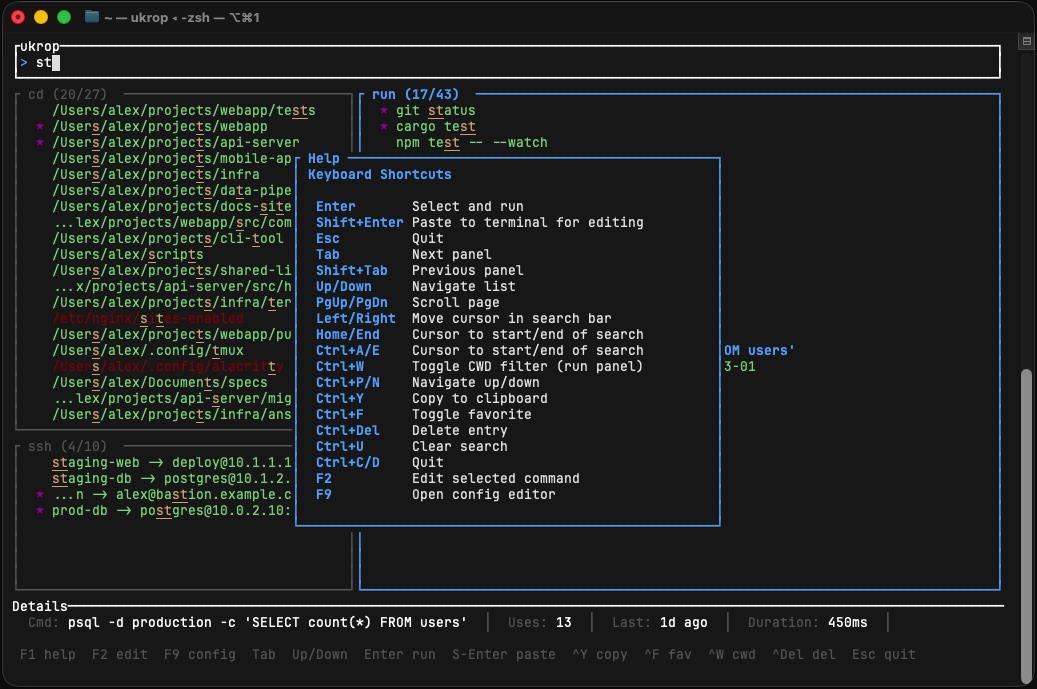
Pro tip. You don't need to type perfectly. ukrop uses a two-tier matcher: substring matches rank above fuzzy-only matches, so
gp will surface git push just as readily as gpo will surface git push origin.
6. Tweak it (optional)
Press F9 from inside the TUI to change the theme, layout, and scoring weights with live preview. Or edit ~/.config/ukrop/config.toml directly — see the configuration page for all the knobs.
7. Back up / restore / demo data
ukrop export --file backup.jsonl   # back up entire database
ukrop import --file backup.jsonl   # restore (replaces current data)
ukrop demo                         # generate demo data for a screencast